Your music. Your way to listen.
A Mini Player, Windows controls, overlays and an Android remote for your YouTube Music session.
MusicDesktop 2.0.5 brings lyrics, Last.fm, themes and new update tracking. The corresponding mobile features require Remote 1.0.5.
Keep your music close.
A compact player that stays within reach while you do something else.
Four layouts
Classic, Square, Compact or Mini: choose how much space your player takes on screen.
Essential controls
Play, pause, previous and next track, volume and progress, alongside the track’s artwork.
Right where you want it
Choose a position or move the player freely. Its position and “Always on top” setting are remembered.
A background that follows the music
The artwork adds colour and a subtle animation. Animations pause when the player is hidden.
Within reach, even in the background.
Shortcuts, media controls and the system tray follow your listening.
Global shortcuts
Control playback and volume, open the Mini Player or toggle Streamer while using another app.
Startup and closing
Choose whether to start with Windows and what happens when you close the window.
Verified updates
The app lets you know when a new version is available. Update packages are verified before installation.
New in 2.0.5
Download progress, percentage, size and speed, followed by installation when you choose to restart.
Your music, on stream.
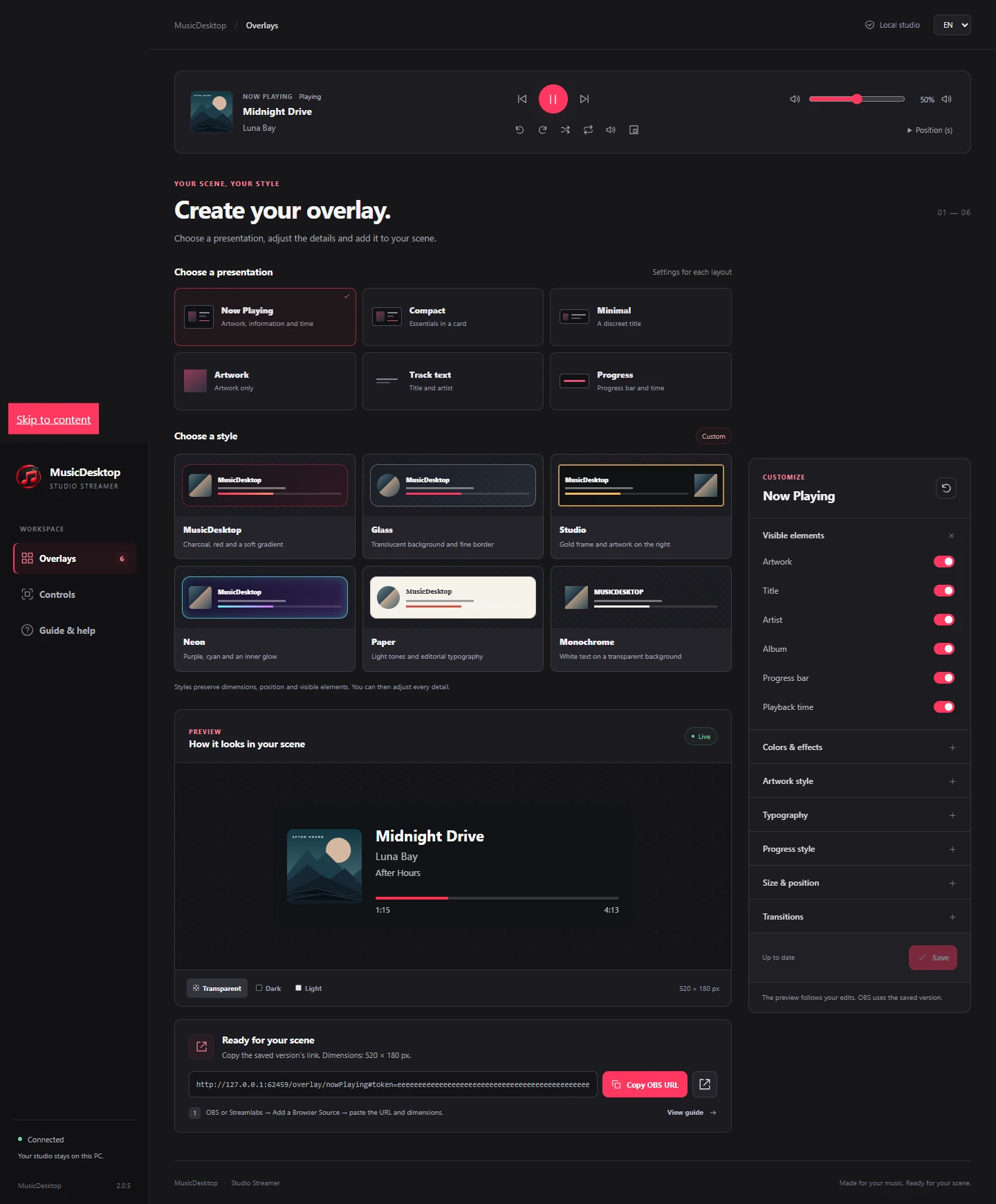
Prepare an overlay for OBS or Streamlabs in Streamer Studio, available since 2.0.3.
Six layouts
Now playing, compact, minimal, artwork, text or progress: choose what appears in your scene.
Make it yours
Start with one of six styles, then adjust colours, backgrounds, typography, artwork and progress.
Preview before saving
Your changes remain drafts until you save them. Copy the URL and dimensions into an OBS browser source.
Deckboard and Stream Deck
Find the extensions and connection details in the Studio to control MusicDesktop from your buttons.
Quick activation in 2.0.5
An ON/OFF switch in the app header. Streamer starts OFF each time, while keeping your settings.
Put your phone in control.
Audio stays on the PC; your Android phone becomes its remote.
Playback and search
Control tracks, volume and progress. Search the YouTube Music session open on your PC.
What plays next
View the queue and recommendations. Toggle shuffle or repeat the current track.
Pair with your PC
Scan the QR code or enter the temporary code, then approve the phone in MusicDesktop.
Lyrics, queue and playlists
With MusicDesktop 2.0.5 and Remote 1.0.5: lyrics, queue reordering and playlist management for the YouTube Music account connected on your PC.
MusicDesktop 2.0.5
Keep the words in view.
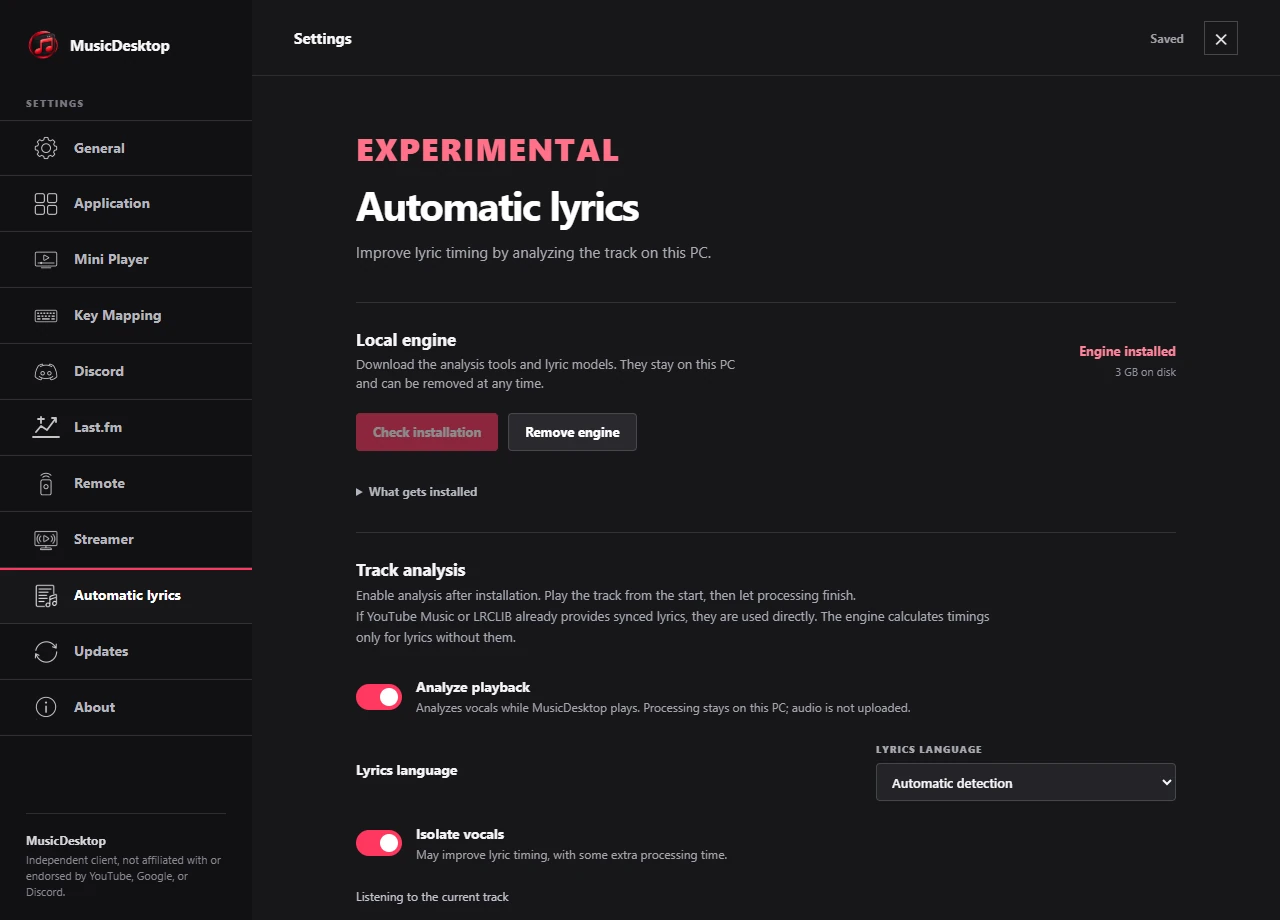
Lyrics on Remote, with available timings or an alignment proposed by the experimental local engine.
Available lyrics
Remote displays lyrics from YouTube Music or LRCLIB. When timings are available, the current line follows playback.
A clearly labelled source
Original sync is shown in grey. MusicDesktop’s alignment is shown in red and remains an estimate.
Analysis when needed
The optional engine locally analyses a full listen from the start when lyrics exist without timings. It preserves timings already supplied by a provider.
For future listens
Results stay on your PC and can be viewed or deleted. Quality depends on the track and lyrics: millisecond accuracy is not guaranteed.
A separate download
The engine downloads several GB of models. Analysis uses CPU and memory; its audio capture requires Windows 11.
MusicDesktop 2.0.5
A history of what you play.
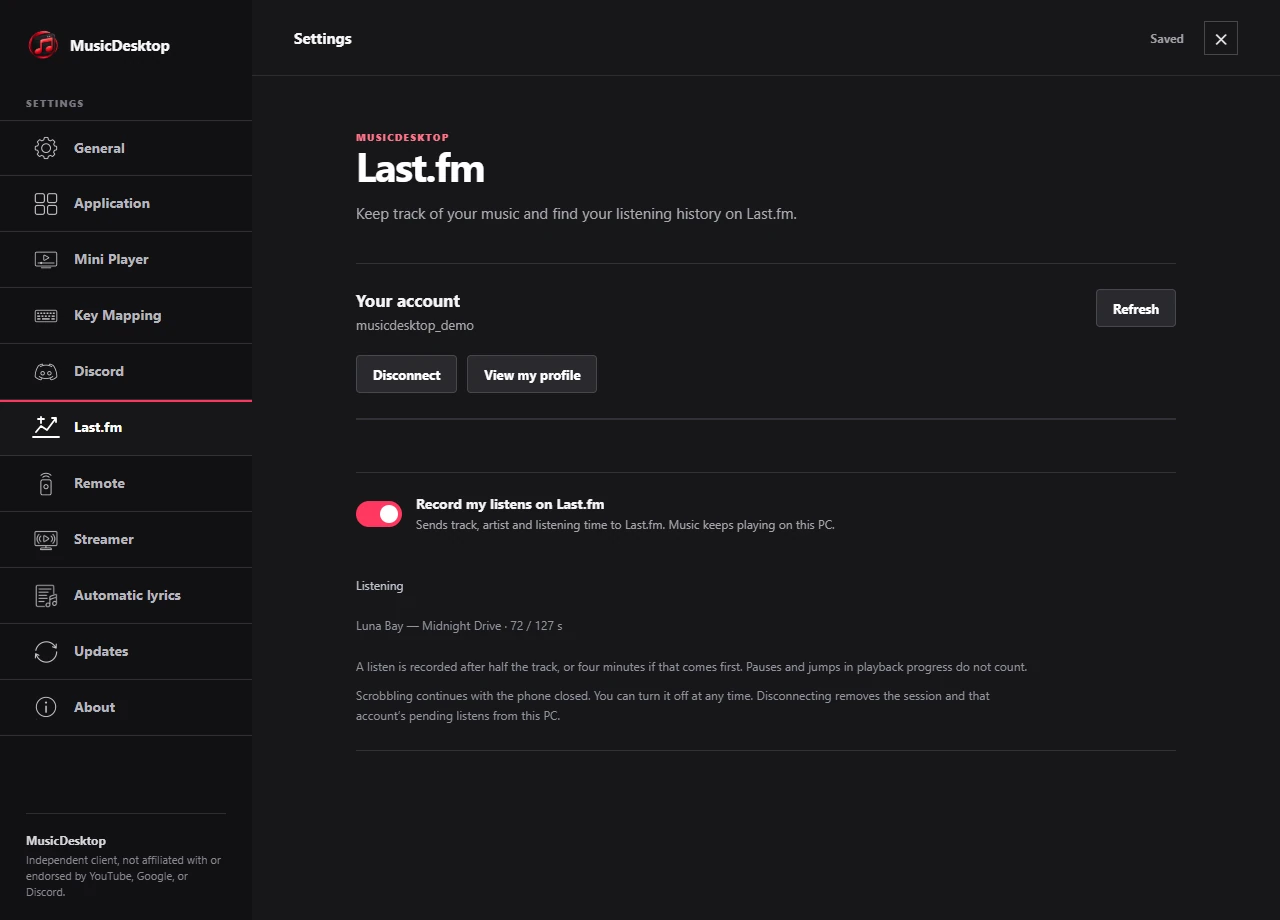
Connect Last.fm on your PC and choose to record your listens.
Your choice
Connect your Last.fm account, authorise MusicDesktop in your browser, then choose to record your listens.
Now playing
The track’s title and artist appear on your profile while recording is enabled.
A recorded listen
Tracks longer than 30 seconds are scrobbled after you listen to half their duration, or four minutes for longer tracks.
You stay in control
Switch recording OFF or disconnect your account in settings. No audio is sent to Last.fm.
MusicDesktop 2.0.5
Colours that feel like you.
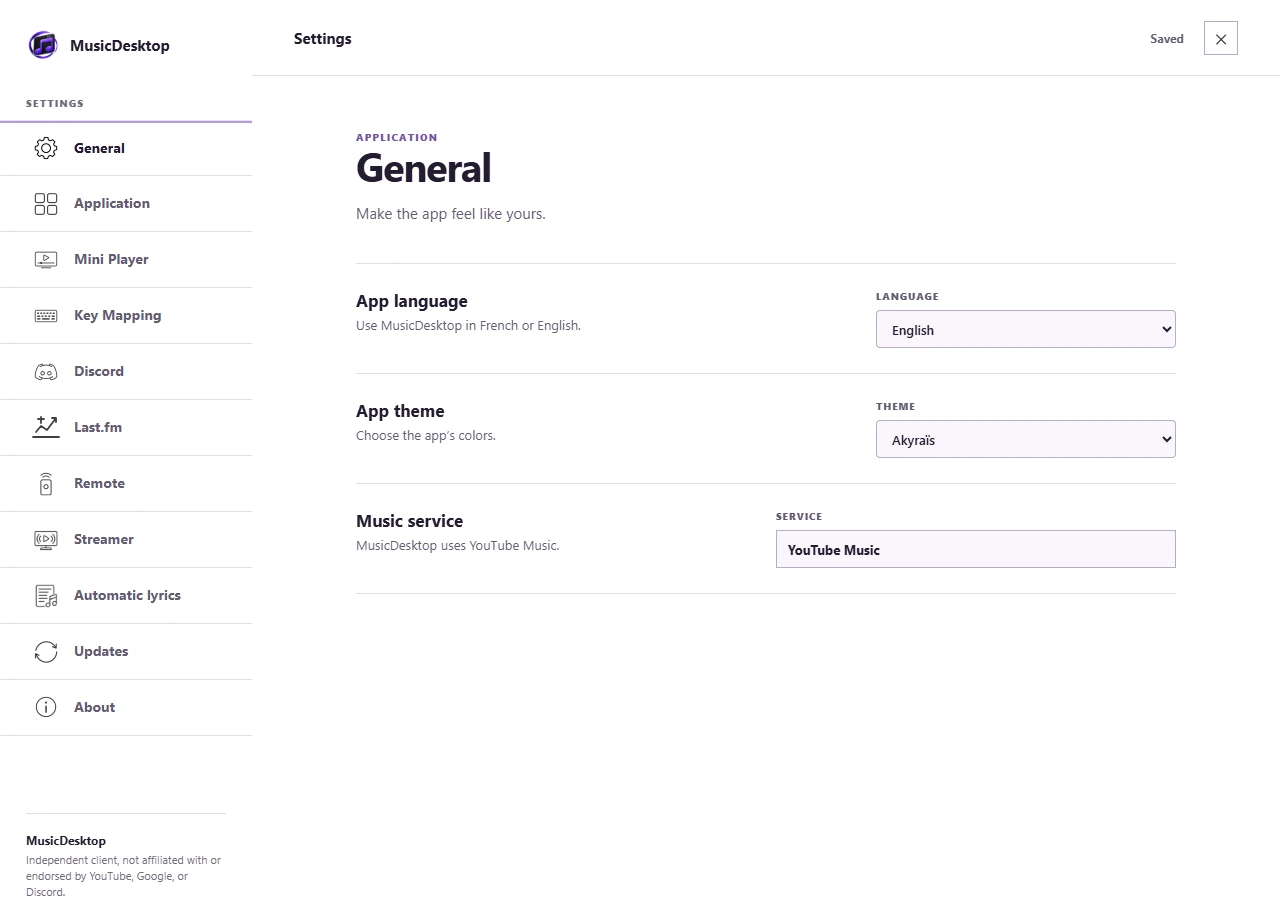
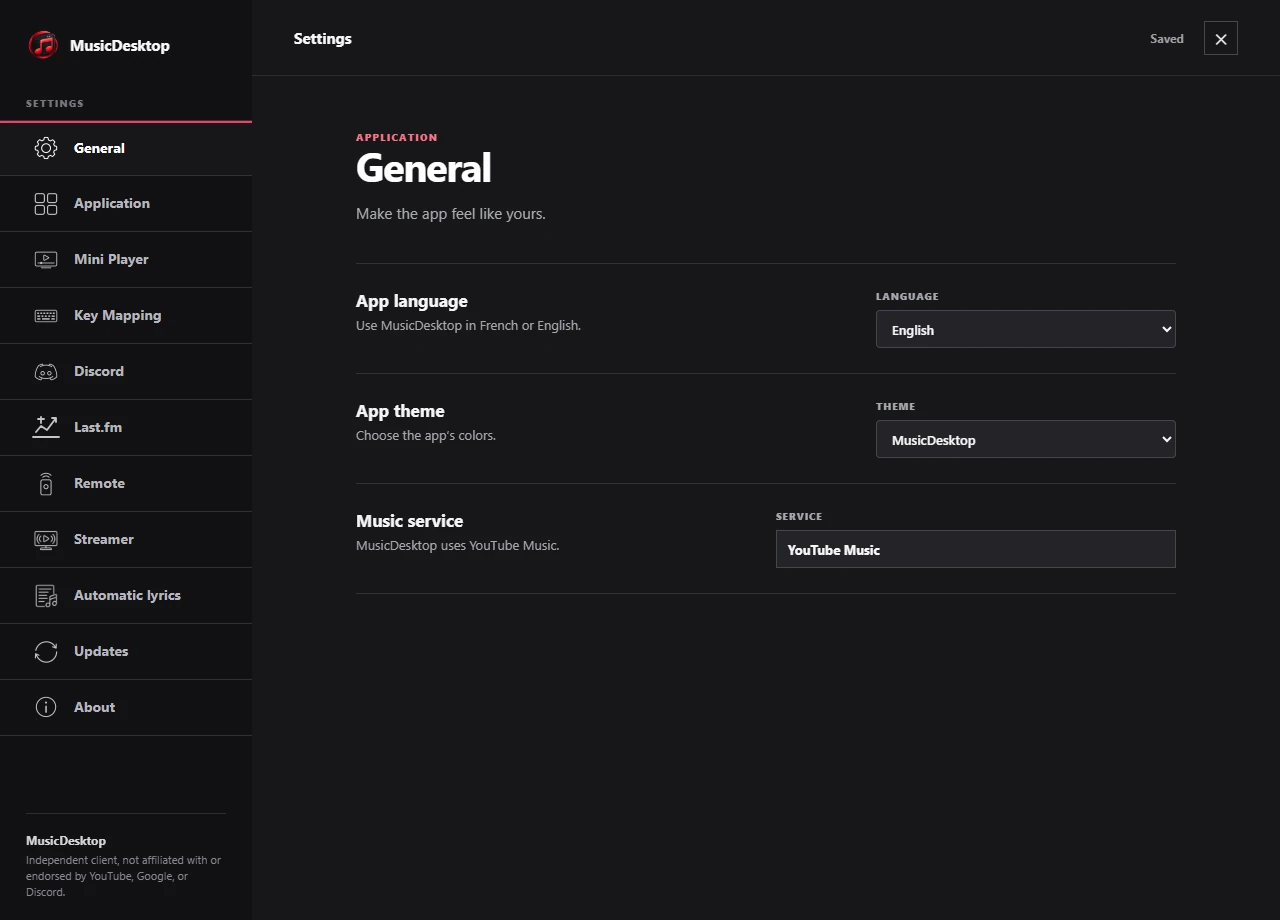
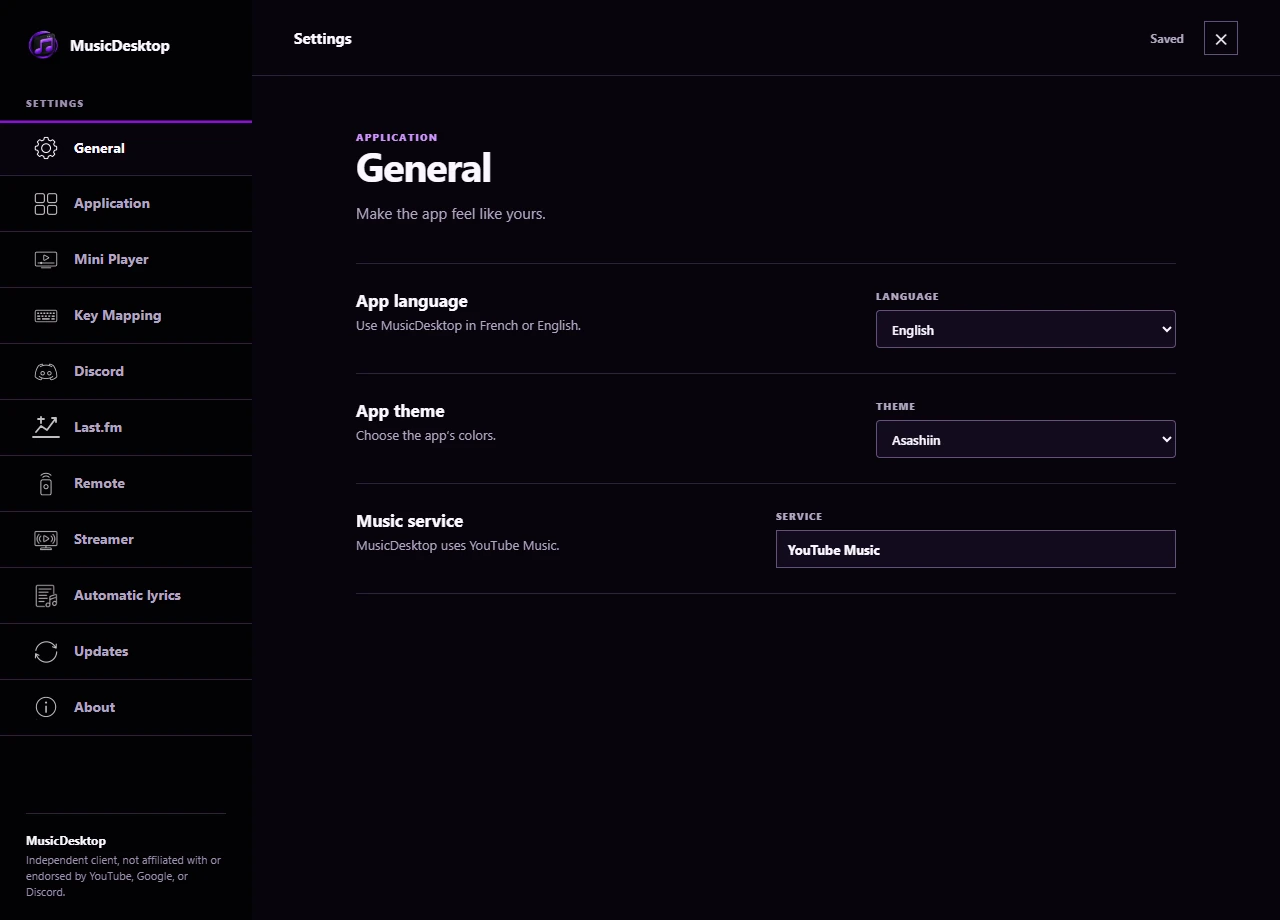
Three themes to choose your MusicDesktop colours.
MusicDesktop
The original look: a dark background and a pink-red accent.
Akyraïs
Pure white and lavender purple for a bright interface.
Asashiin
Deeper black and electric purple.
One setting
Choose your theme in General. It applies across MusicDesktop windows and your choice is remembered.
Your music account, your habits.
YouTube Music is available. SoundCloud and Bandcamp are planned for later.
YouTube Music
Access the account connected on your PC and its catalogue in a dedicated window. YouTube Music’s terms still apply.
Discord
Show the current track with Rich Presence. Choose which information to share in settings.
SoundCloud and Bandcamp
Coming later: these platforms are not yet available in MusicDesktop.